"Where do we hold personal data?" is one of the simplest questions a regulator, an auditor or a customer can ask, and one of the hardest for most companies to answer quickly. The honest answer is usually a spreadsheet someone made last year. A catalog that profiles every table it ingests can do better: it can point at the columns, say how sure it is, and record who confirmed it.
Harborline's privacy lead needs a list by Friday
Imani is the privacy lead at Harborline Outfitters, a fictional retailer with a web store, an app and a loyalty programme. The legal team is updating its records of processing and wants, for each system, the tables that hold personal data and who owns them. The operational database has just been connected to InsightDataCatalog and ingested.
Step 1: let the profiler make the first pass
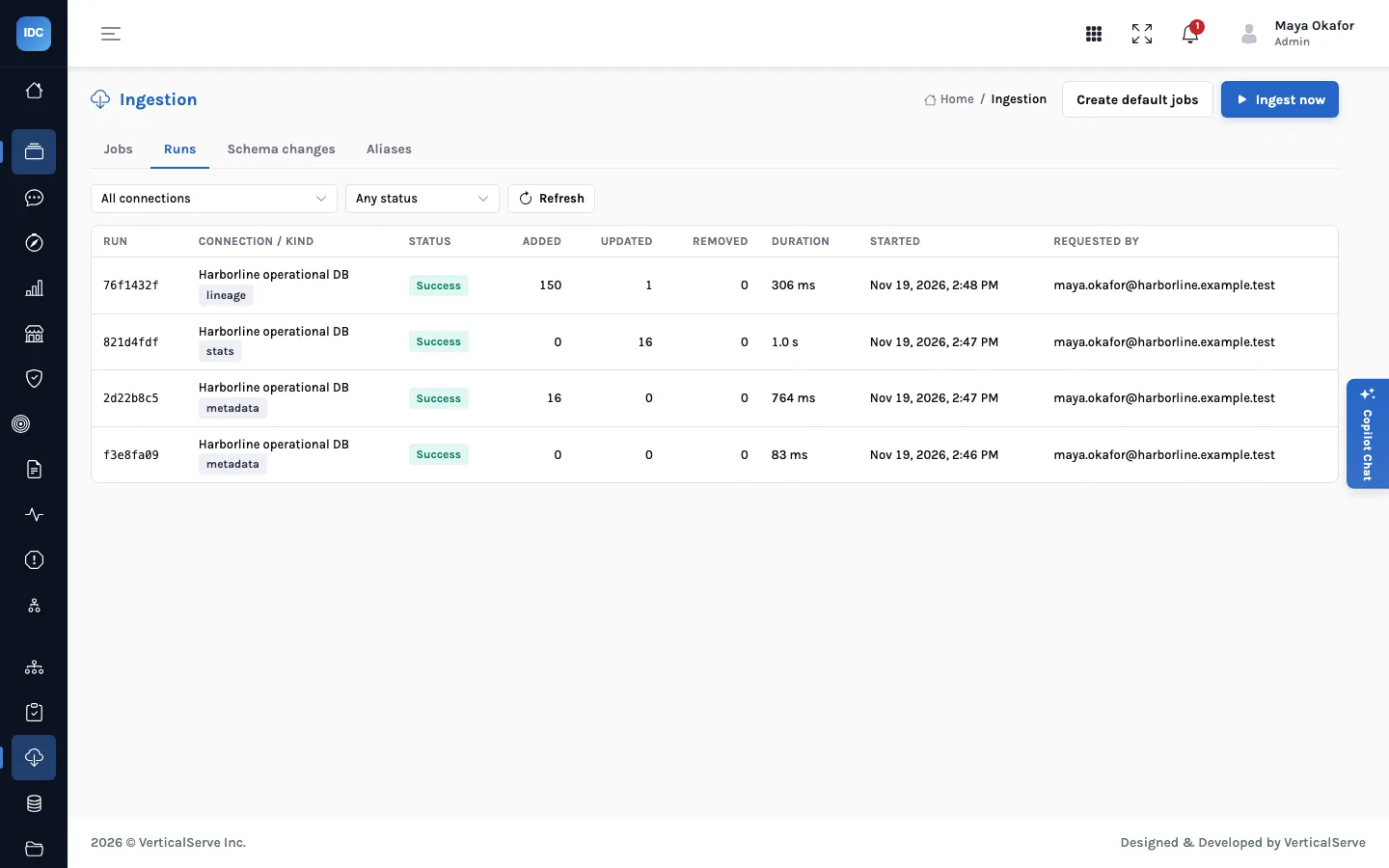
The stats job profiles every column it reaches (counts, nulls, distinct values, ranges and the most common values of low-cardinality columns) and in the same pass applies personal-data heuristics that look at the column's name and the shape of its values. A column that matches is classified as PII, the entity is flagged as containing personal data, and a classification record is written with the method profiler, so nobody mistakes a guess for a decision.
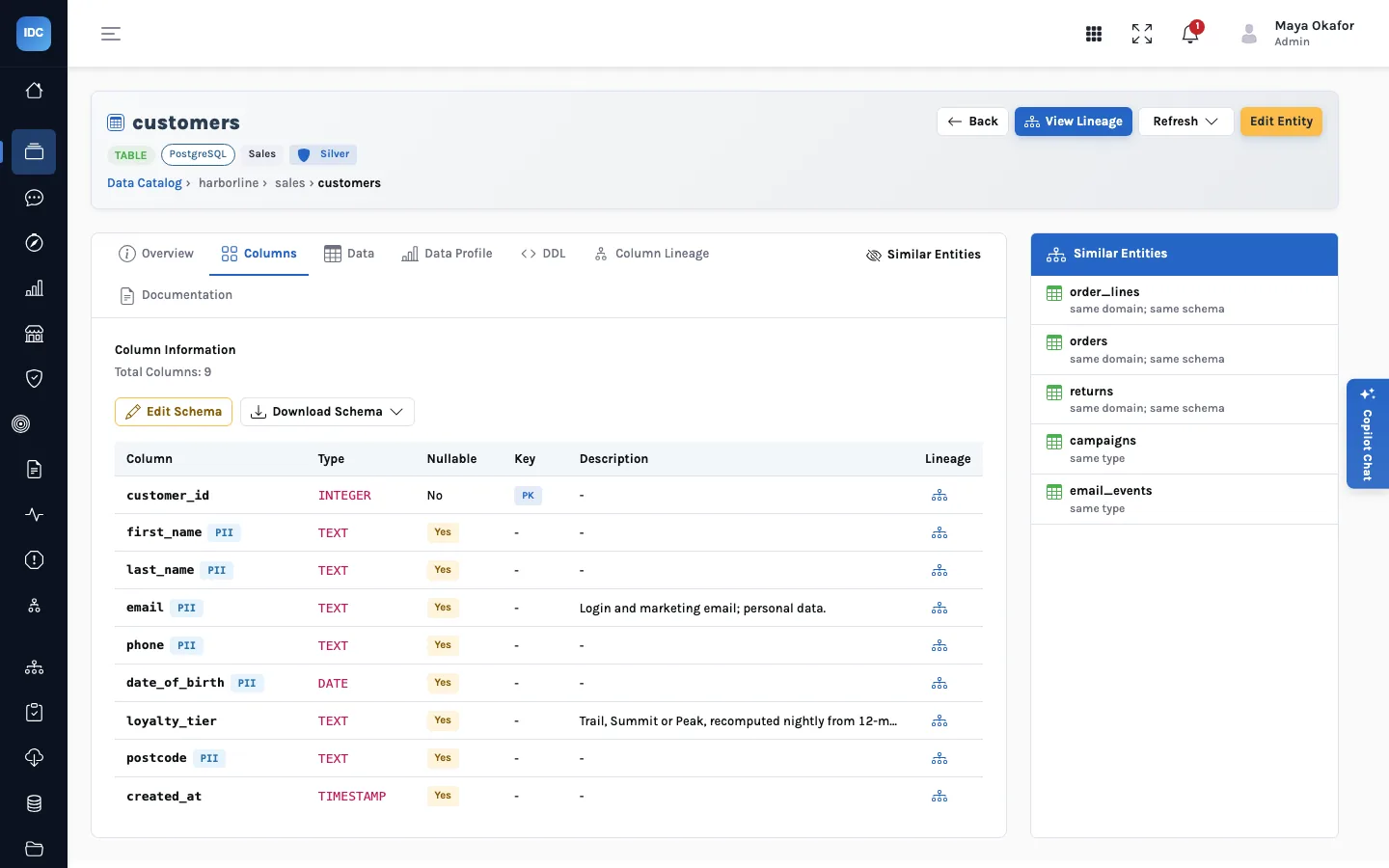
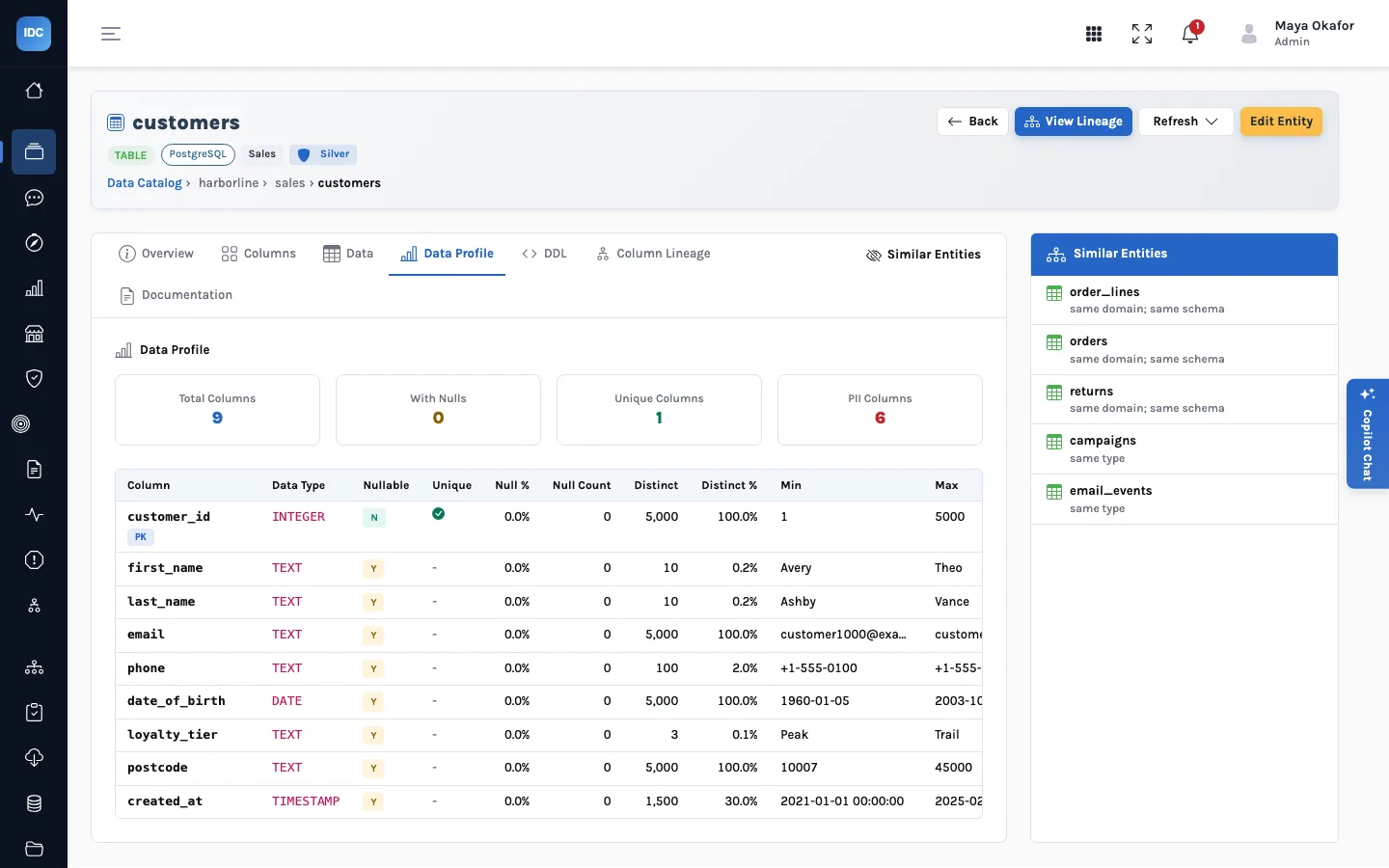
On Harborline's sales.customers table the profiler flagged first name, last name, email, phone, date of birth and
postcode. It did not flag loyalty_tier or created_at. On sales.orders it flagged the shipping
postcode. Each of those is a proposal for a steward, not a finding for the regulator.
What the heuristics look for
The profiler knows ten classes of personal data. Each has a name pattern; five (email, phone, national ID, card number and IP address) also have a value pattern that is checked against the column's sampled values. A match also sets a default sensitivity level, which a steward can change:
| Class | Name hints (examples) | Default sensitivity |
|---|---|---|
| email, e_mail, email_address | Confidential | |
| Phone | phone, mobile, cell, fax | Confidential |
| Person name | first_name, last_name, surname, full_name | Confidential |
| Date of birth | dob, date_of_birth, birthday | Confidential |
| Address | street, address_line, zip, postcode | Confidential |
| National ID | ssn, national_id, nino | Restricted |
| Passport or licence | passport, driver_license | Restricted |
| Card number | credit_card, card_number, pan | Restricted |
| Bank account | iban, account_number, routing_number | Restricted |
| IP address | ip, ip_address, remote_addr | Internal |
Every proposal carries a confidence. A name match alone is moderate; a name match that the values confirm (most sampled
values have the expected shape) is high; values alone, with no name hint, sit in between. Phone numbers are the exception:
their shape is loose enough that values alone count only when every sampled value matches. That is also why
card_last4 was not flagged at Harborline: its name matches none of the card patterns, and four digits do not look
like a card number.
Step 2: a steward decides, and the decision sticks
Heuristics are wrong in both directions. They will flag a message_id that looks like an email, or miss a free-text
notes field that holds names. The steward's job is to confirm the right ones, reject the wrong ones and add what was missed. Two
rules make that work last:
- A rejection is kept. When the steward rejects the profiler's guess on a column, the next stats run does not quietly put the badge back.
- Method and author are recorded. A classification says whether it came from the profiler or a person, so the list that goes to legal can separate "confirmed" from "suggested".
Postcodes and the long tail
Imani confirms names, email, phone and date of birth. She also confirms both postcodes: in Harborline's data a postcode sits next to a name and an order history, so it can identify a household. She asks the finance owner about finance.payments.card_last4, which the profiler did not flag; finance agrees to classify it, because their policy treats any card fragment as restricted. Every decision is recorded with her name. An illustration on made-up data.
Step 3: the list legal asked for
With decisions made, the answer is a query rather than a spreadsheet: the entities flagged as containing personal data, with their
owner team, owner, steward and domain, all of which ingestion and curation have already filled in. Because the flag lives on the catalog
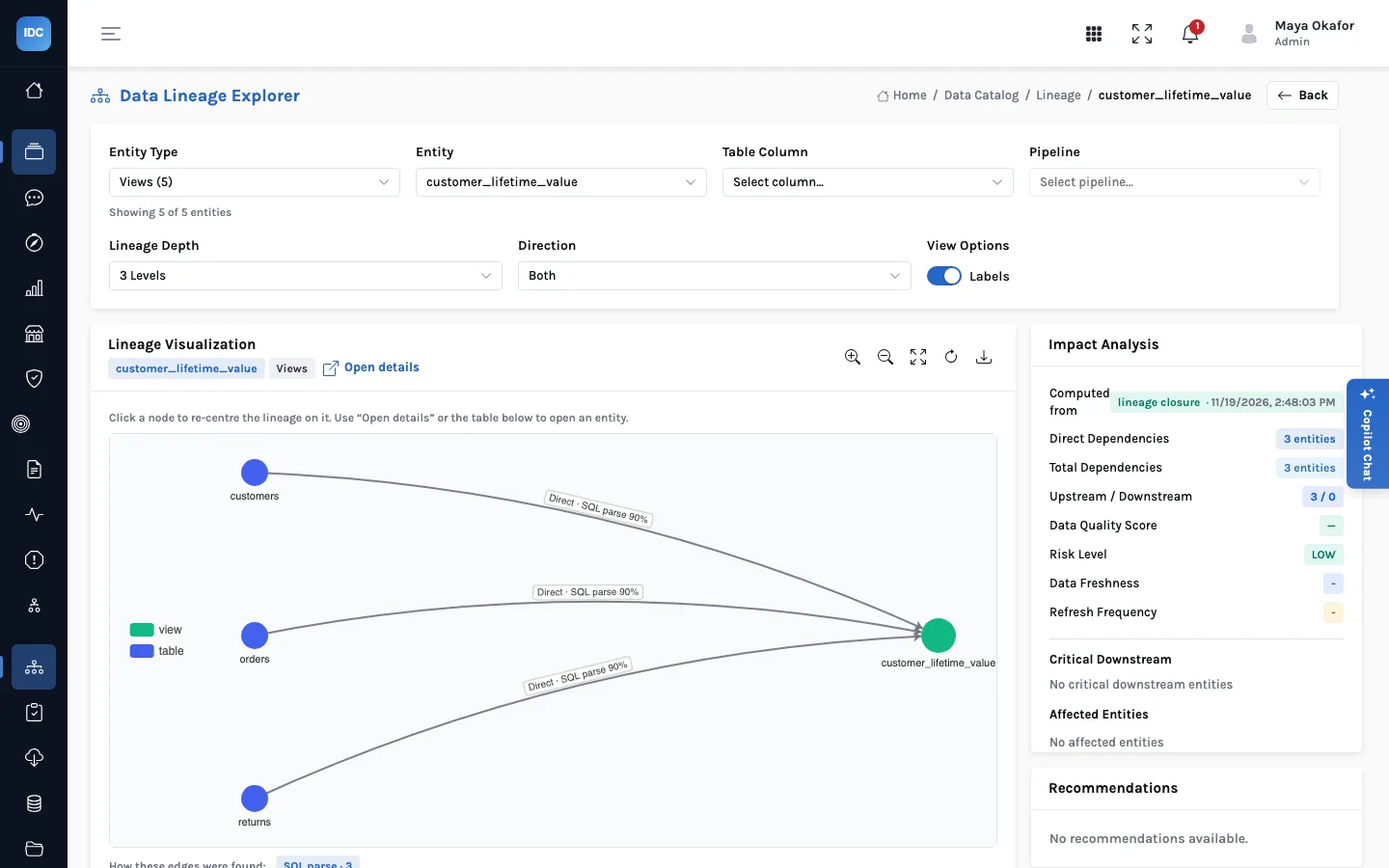
entity, it also follows the data downstream: lineage shows that customer_lifetime_value is built from
customers, so the analytics view is in scope even though it holds no email column itself.
Step 4: keep it current
- Schedule the stats job weekly. New tables are profiled on their first run; the TTL keeps re-runs incremental.
- Review new PII proposals as part of the steward's weekly routine; rejections are remembered, so the queue only shows what is new.
- Set the data classification on the data contracts of tables that hold personal data, so consumers see it before they build on it.
- Use lineage before every new analytics view goes live: if it reads a personal table, it inherits the question.
Questions privacy teams ask
Does the catalog copy personal data?
It does not copy tables, but profiles keep a few values per column (minimum, maximum, most common values of low-cardinality columns), as the warning above says. Decide who may open data previews and profiles of restricted tables.
Can AI clients see the personal columns?
Through the catalog's MCP server, an API key carries a ceiling on data classification, and cells in columns classified above it are masked in query results. Set that ceiling deliberately for each key.
Is a confirmed list enough for our records of processing?
It is the inventory part: which systems and tables hold which classes of data, and who owns them. The purpose, lawful basis and retention of each processing activity still have to be documented by the people responsible for it.
A note on regulation
Privacy laws such as the EU and UK GDPR and California's CCPA/CPRA expect organisations to know what personal information they hold, where and why, and some require written records of processing. What counts as personal data, and what records you must keep, depends on the law, the sector and the context. This article is general information, not legal advice; check the current text and guidance with your counsel or data protection officer.
Next: use case: quality rules an analytics team will actually keep.