Every data team has the same three questions on repeat: where is the data I need, can I trust it, and what breaks if I change it? A data catalog exists to answer them without a meeting. InsightDataCatalog connects to your sources read-only, harvests what is there, profiles and classifies it, traces how data flows between tables, views, pipelines and reports, and puts the governance people need (a glossary, quality rules, data contracts and critical data elements) on the same entities everyone searches.
What it looks like
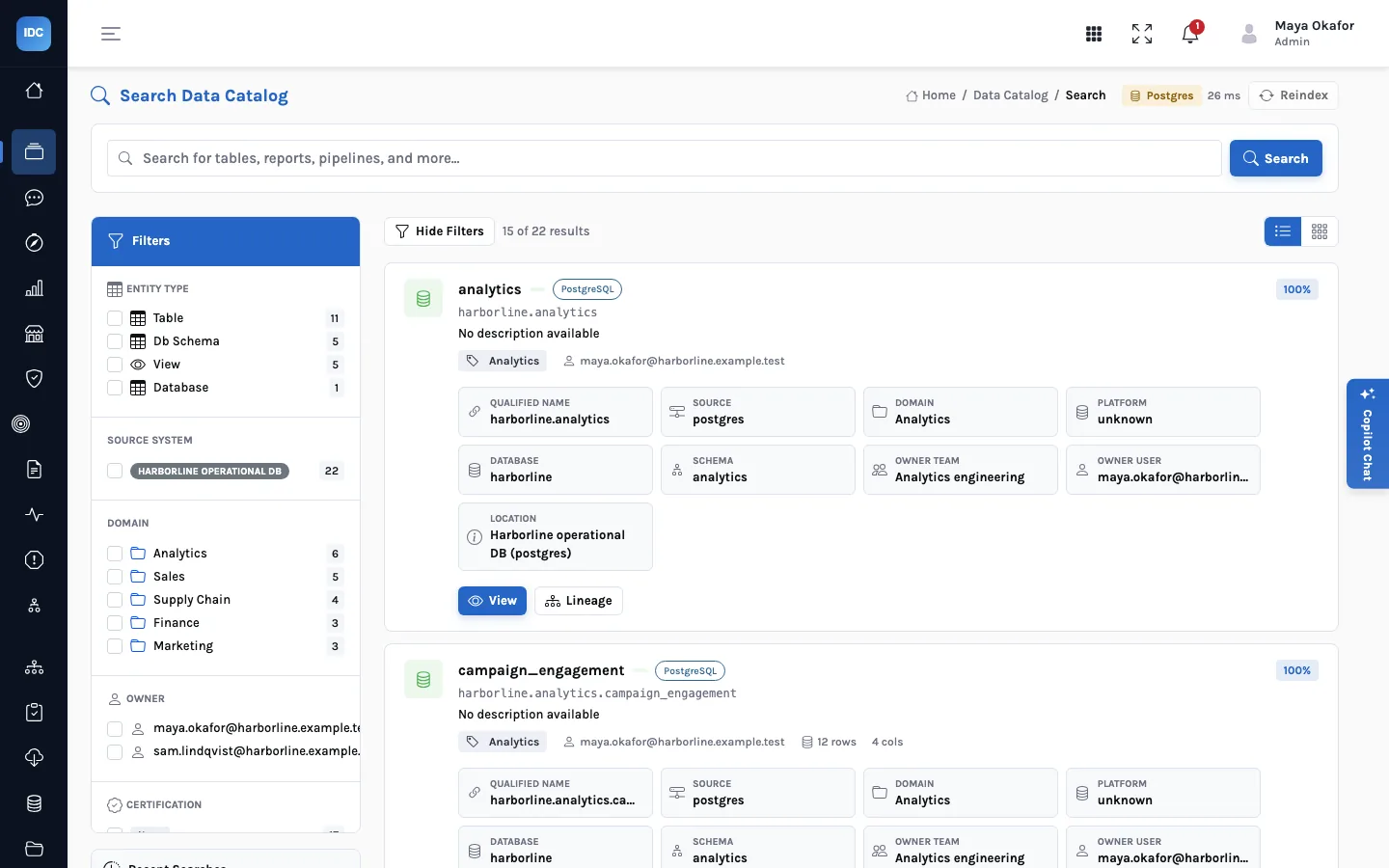
Search is the front door. Results are entities (databases, schemas, tables, views, files, dashboards, DAGs and more), each with its qualified name, source system, domain, owner team, owner and certification, and filters for all of them. Opening an entity gives you its overview, columns, a data preview, the profile, the DDL, its lineage and documentation, and similar entities.
example.test. The catalog ingested it exactly as it would a real source.How it is put together
Connections
A connection is a registered source with its credentials kept out of the URL. The build we ran lists 43 connectors in seven families: databases and warehouses (PostgreSQL, MySQL, Oracle, Redshift, Databricks, Glue, Iceberg REST and Unity Catalog among them), object stores and files, search and vector stores, messaging, BI (Power BI, Tableau, Looker), pipelines and APIs (Airflow, dbt Cloud, Fivetran, Dagster, Salesforce, ServiceNow) and collaboration tools (SharePoint, Confluence, Jira, GitHub, Slack and others). Each connector declares what it can do: test, browse, read a schema, preview, run SQL, describe.
Ingestion
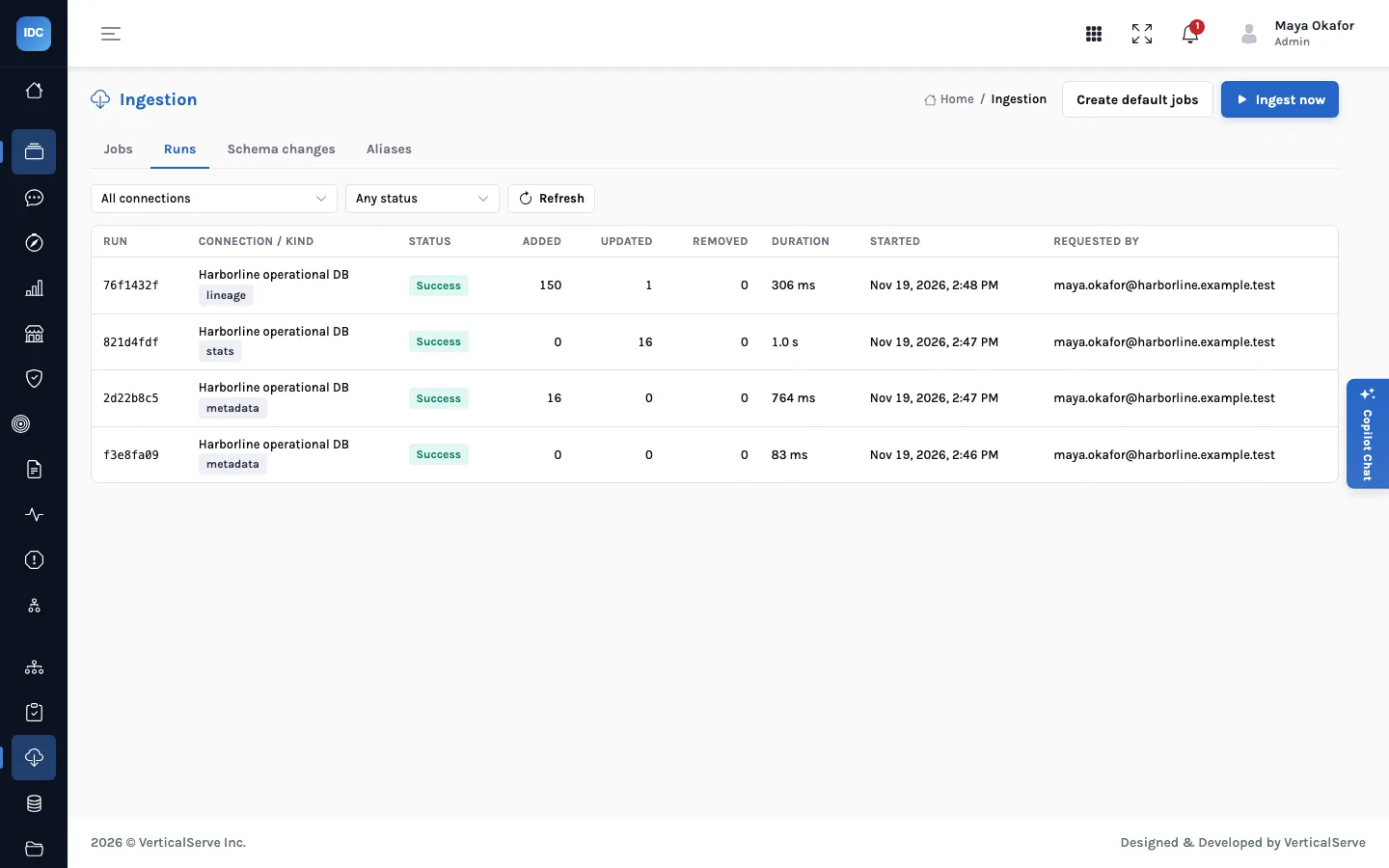
Each connection gets ingestion jobs of five kinds, each on its own schedule: metadata (the entities and their columns), stats (column profiles and personal-data detection), lineage (parsed from views, procedures, BI queries, DAGs and platform lineage tables), usage (query history) and docs. Runs are recorded with what they added, updated and removed. See how ingestion works.
Lineage
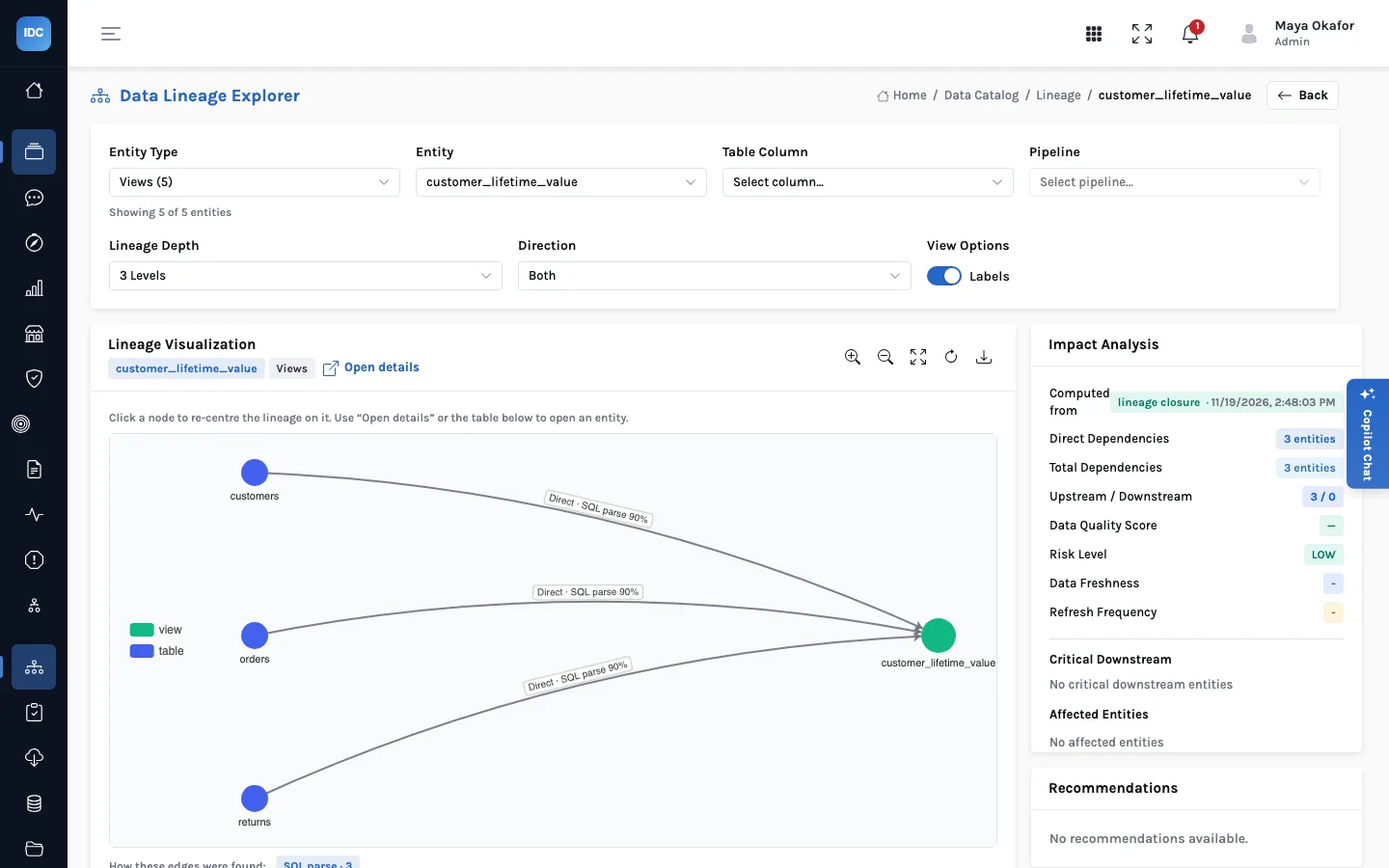
Lineage is stored as table-level and column-level edges, each with the method that found it and a confidence on a fixed scale, and a transitive closure kept current so impact analysis is a lookup rather than a graph walk. See lineage you can trust.
Trust and governance
- A business glossary whose terms link to the columns that carry them.
- A Data Quality Studio: rules from templates or SQL, run read-only on the source, scored against thresholds, with alerts.
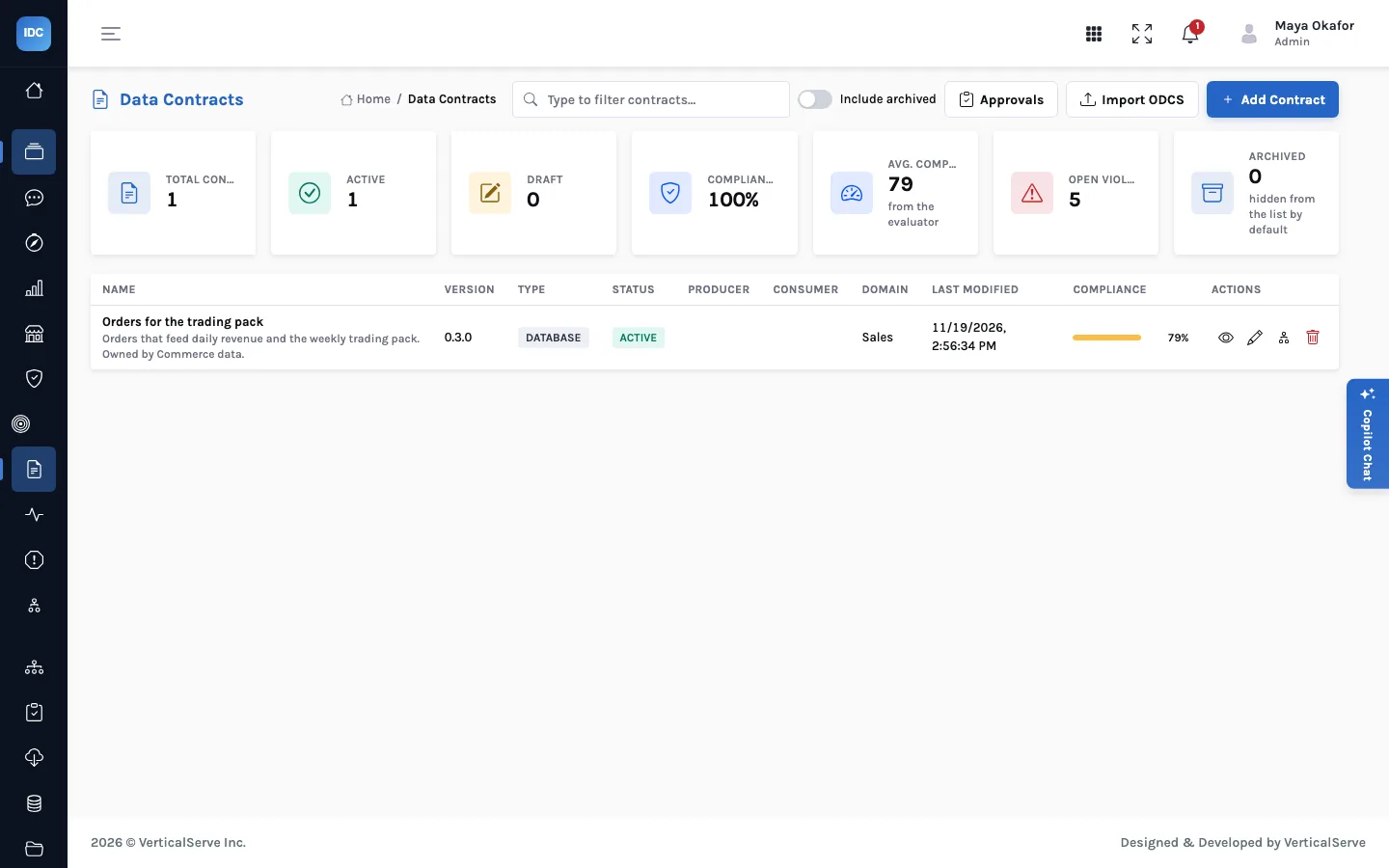
- Data contracts in the Open Data Contract Standard (ODCS), drafted from the catalog's own profile, approved, and evaluated on a schedule. See data contracts from the catalog.
- Critical data elements with a sign-off workflow and a daily scorecard.
Questions in plain English
Assist answers questions over the catalog, and the catalog can be reached by AI clients through MCP servers you register. These need a model configured; the screenshots on this blog were taken without one, so they show the catalog itself.
AI access, with the same guardrails as people
Two AI paths exist, and both are built so that a model cannot do more than the person or key behind it.
- Assist sorts each question into a route (catalog questions, SQL, lineage, contracts, docs, or a mix) and answers with the tools for that route, scoped to the signed-in user, their organisation and the entity on screen. Any SQL it produces is checked before it is shown: one read-only statement, no system schemas. A topic filter runs on the question and a redaction pass on the answer.
- The catalog's own MCP server lets MCP clients such as Claude Code, Cursor or Claude Desktop search the catalog, read lineage and contracts and, where allowed, run SQL. Access is by an API key with explicit scopes (read the catalog, read lineage, read contracts, run SQL, propose changes) and a ceiling on data classification: cells in columns classified above the key's ceiling are masked. Anything a client writes (a description, a tag, a lineage edge) arrives as a proposal for a person to approve.
Who uses which part
| Role | Starts from | Typical question |
|---|---|---|
| Data engineer | Lineage, ingestion runs, schema changes | What reads this table before I change it? |
| Analyst | Search, profiles, glossary | Which table holds net revenue, and is it fresh? |
| Analytics engineer | Data Quality Studio, contracts | Did last night's load break a promise to a consumer? |
| Privacy lead | PII classification, entity filters | Where do we hold dates of birth? |
| Governance council | CDEs, scorecard, inbox | Are our critical elements green, and who signed them off? |
What it is not
InsightDataCatalog reads; it does not move or copy your data. Profiles hold counts, ranges and the most common values of low-cardinality columns, which is why personal-data detection matters (more in the PII use case). Quality rules and contract checks run as read-only queries through the connection's own credentials.
It also does not make up metadata. Descriptions come from the source's own table and column comments or from people, never from generated text; owners are recorded from ingestion only when the source names a real one; and a source comment fills an empty description but never overwrites one someone has written. A table that disappears from the source is marked deprecated, not deleted, so its history and lineage stay readable.
Questions buyers ask
What access does it need?
A read-only account per source, scoped to the schemas you want catalogued. Ingestion, profiling, quality rules and contract checks all go through that account; nothing in the product needs write access to your data.
Is a model required?
No. Search, ingestion, lineage, the glossary, quality rules, contracts and CDEs work without one. A model adds Assist, AI-assisted term discovery and optional lineage and CDE suggestions, all of which are proposals or answers, never silent changes.
How many sources should we connect first?
One. The catalog becomes useful when the tables people look up carry owners, domains and certification, and that is easier to get right for one source than for twenty. The first-week guide walks through it.
Can it sit next to the catalog our platform already has?
Yes. It reads platform lineage where it exists (Unity Catalog system tables, for example) rather than replacing it, and adds the parts a platform catalog usually lacks across systems: lineage through BI and pipelines, contracts and CDEs.
Next: how metadata ingestion works.