Catalogs fail in the first month for predictable reasons: too many sources connected at once, a first scan that drags in every system schema, and no owners, so search returns a wall of undocumented tables nobody trusts. A week spent on one source, done properly, is worth more than a month spent on twenty. This guide is the plan we would follow.
Before Monday: three things to have ready
- A read-only database account for the source, with grants on the schemas you mean to catalog. Asking for it early saves the most time; it usually needs someone outside the data team.
- An administrator in the catalog. Reading the catalog needs a signed-in person; creating and changing ingestion jobs needs the admin role.
- Three or four people who will use it: an analyst, an engineer who loads the source, and whoever owns the most-read report. They are your test of whether the week worked.
Monday: connect one source
Pick the source behind your most-used report: usually an operational database or the warehouse schema that feeds finance. Create a read-only account for the catalog, with access to the schemas you mean to catalog and nothing else. Register it under Connections and press Test.
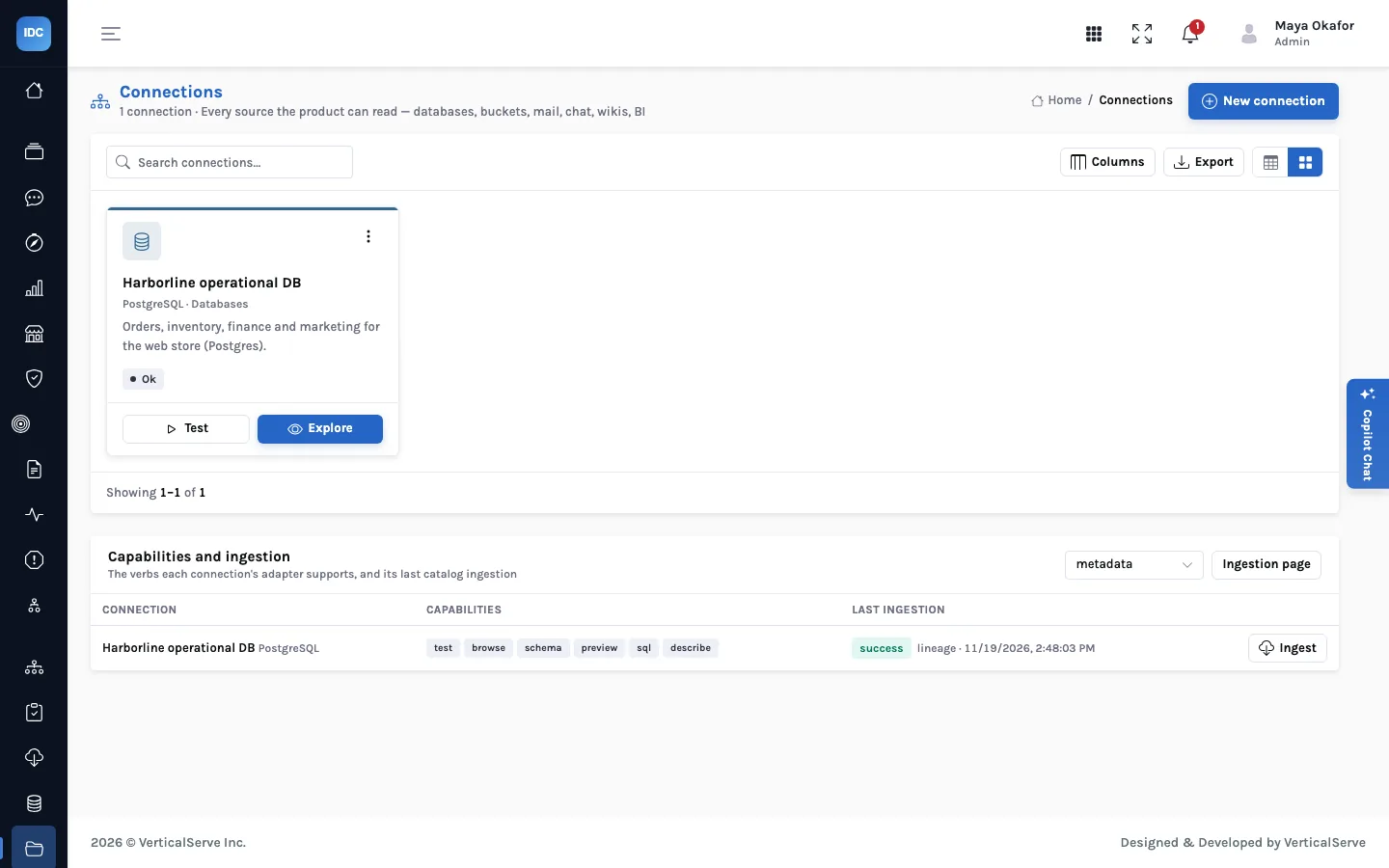
The capabilities row tells you what the catalog can do with this source: test, browse, read a schema, preview, run SQL, describe. Explore lets you browse the source before you ingest anything, which is the right moment to decide your globs.
Tuesday: ingest, in order
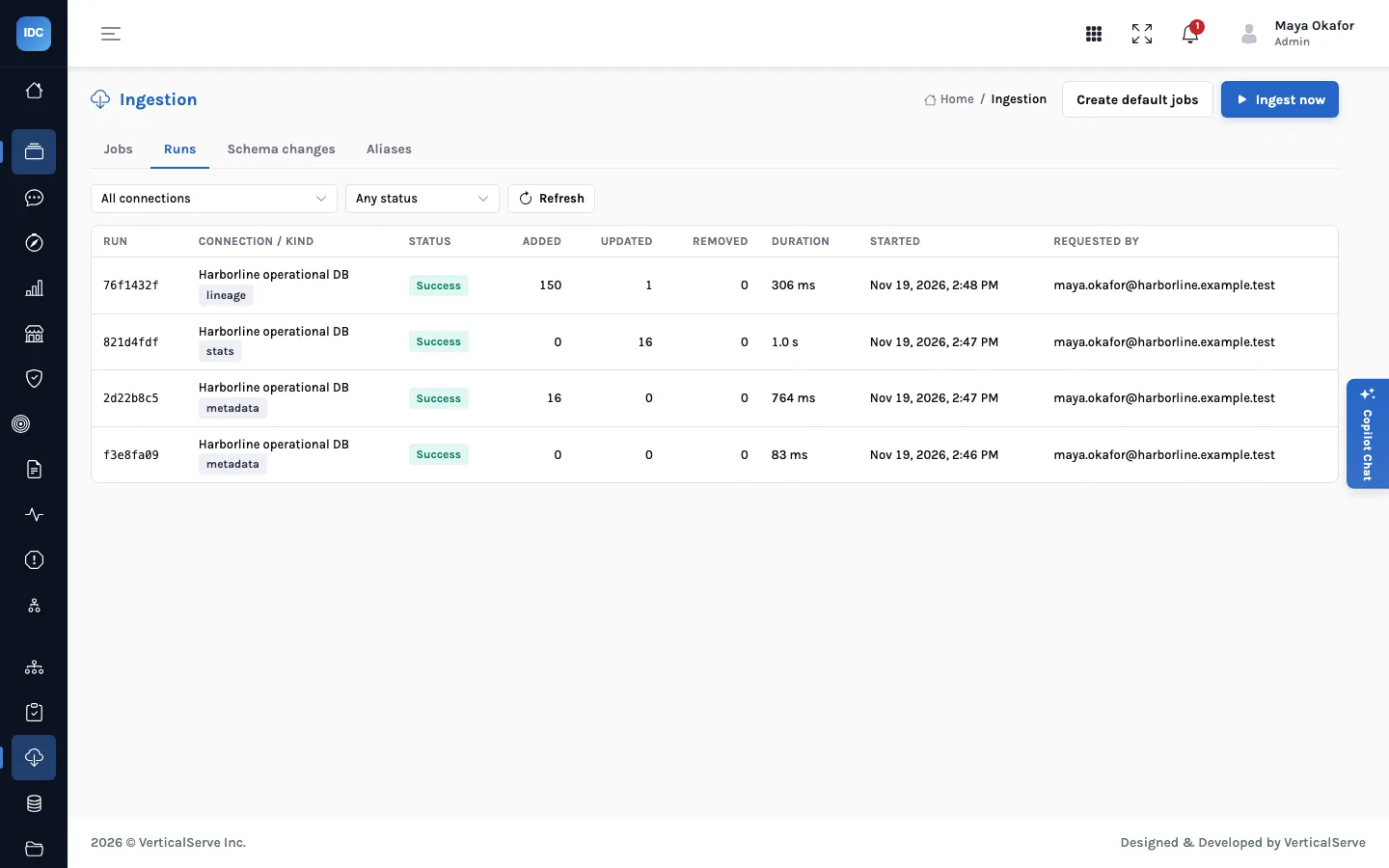
- Create the default jobs for the connection (metadata daily and stats weekly), and add a lineage job.
- Set exclude globs for system schemas (for Postgres,
information_schema.*andpg_catalog.*) and anything scratch-like (*.tmp_*, staging schemas you do not want people to find). - Run metadata and compare the entity count with what you expect. Too many usually means a missing exclude; too few, a missing grant.
- Run stats to get profiles and personal-data proposals. It scans each table at most twice.
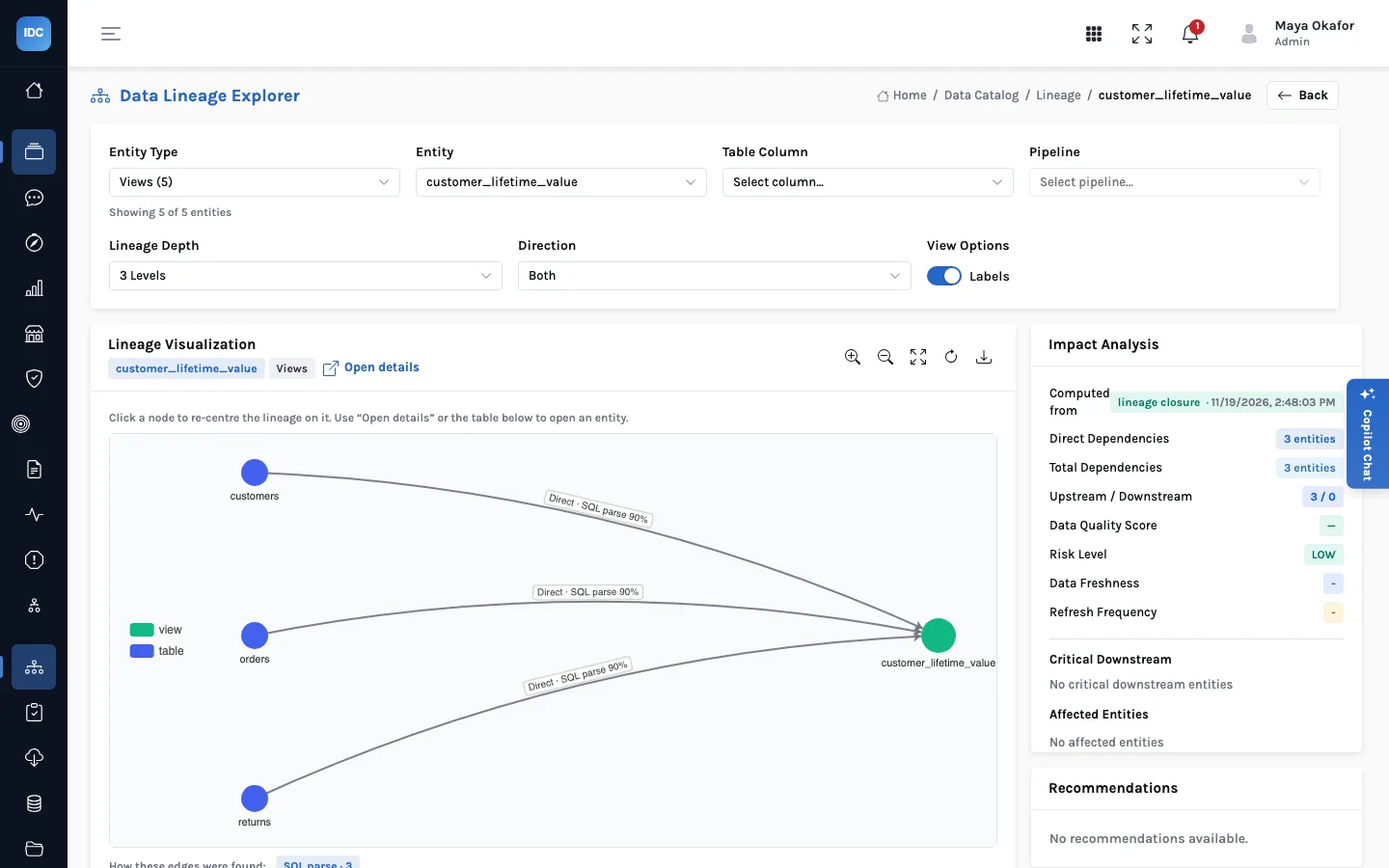
- Run lineage to parse views and procedures. Check the run's error count; parser errors are the statements to look at first.
Set schedules now so the catalog stays current without you: metadata daily, stats weekly, lineage after metadata. More detail in how metadata ingestion works.
Wednesday: curate the twenty that matter
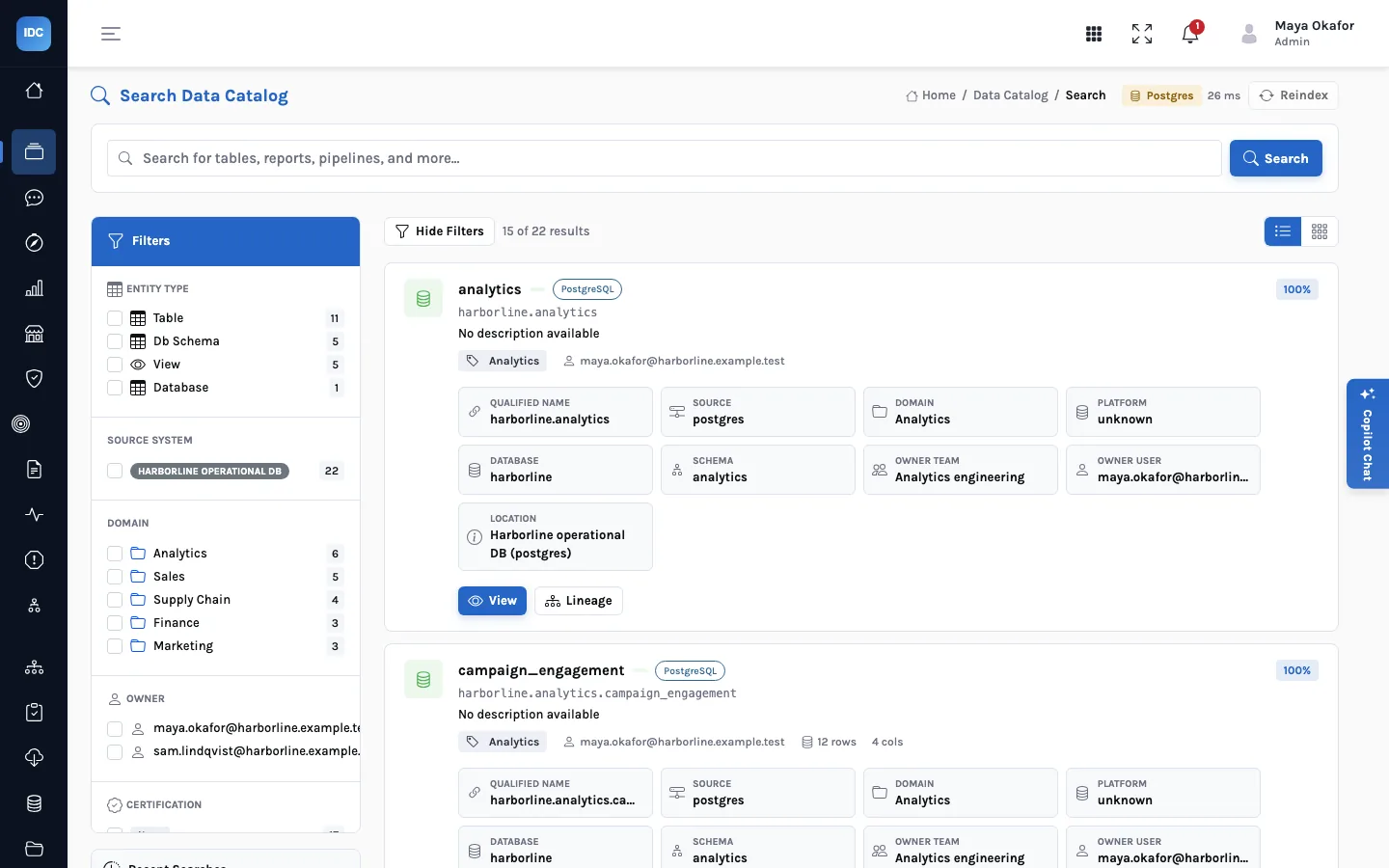
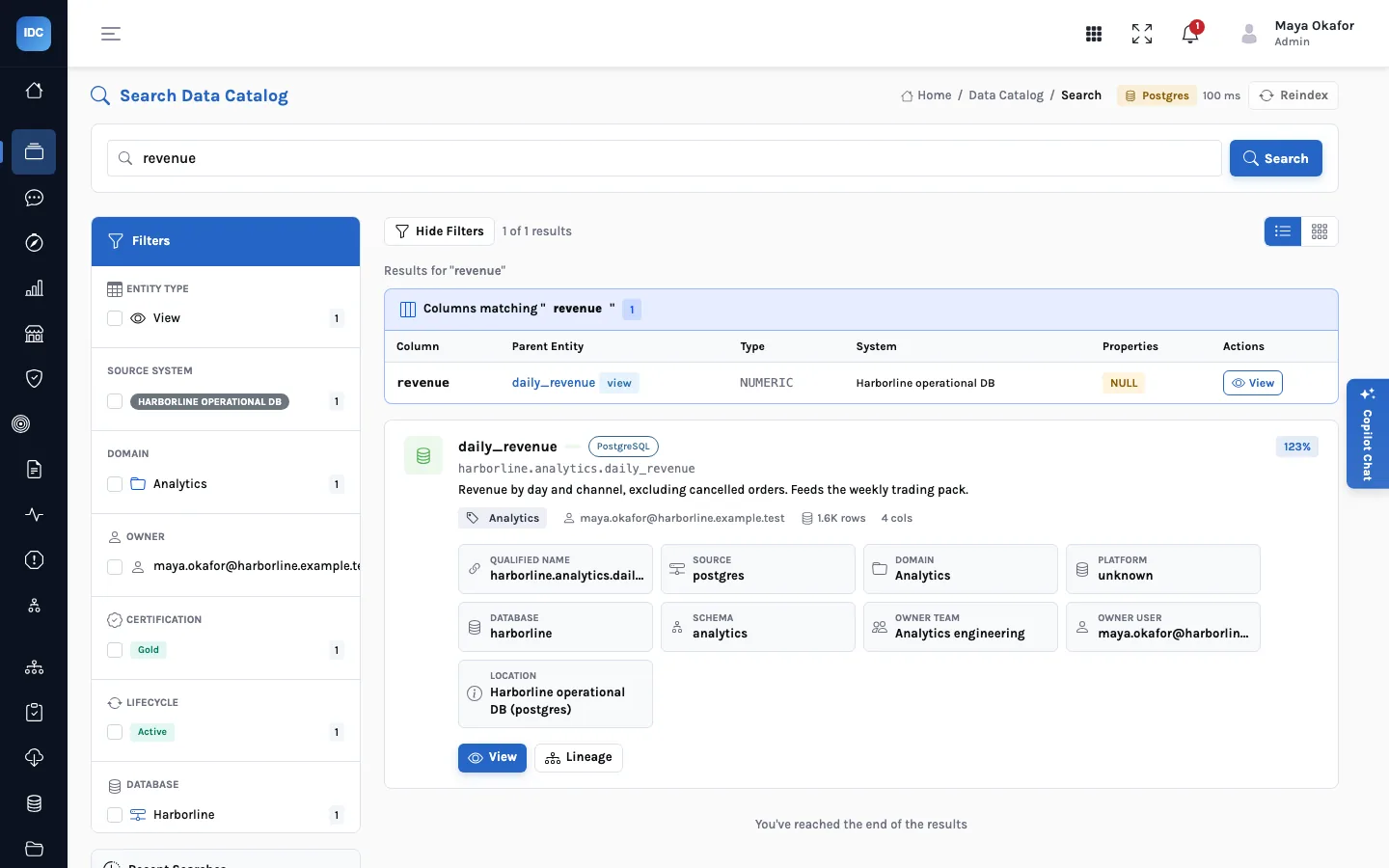
Search is only useful when results carry owners and context. Ask three people which tables they look up most, and give those twenty or so entities:
- an owner, an owner team and a steward;
- a domain (sales, finance, supply chain…), which becomes a search filter;
- a certification level (bronze, silver, gold or certified) that tells people which table to prefer;
- a description, if the source did not already carry one (comments on tables and columns are harvested).
Review the personal-data proposals from Tuesday's stats run while you are there; see finding personal data.
Thursday: define terms, add the first rules
Write the five glossary terms people argue about most (net revenue is a perennial favourite) and link each to its column. Then add three to five quality rules on the tables behind your most-used report, starting from templates: unique keys, not-null on the columns the report groups by, a range on money and quantities. Run them once by hand before you schedule them. See quality rules a team will keep.
Friday: write one promise, and review
Draft one data contract from the catalog entity behind the report, keep the suggested checks that describe a real promise, add a freshness SLA, name the producer and consumer teams, and make it active. The evaluator will check it every 30 minutes from then on. See data contracts from the catalog.
Then take stock with the people who will use it. Useful questions for the end of week one:
- Can a new analyst find the right table for the top report in under a minute?
- Does every certified entity have an owner who knows they are the owner?
- Which lineage gaps showed up, and are any worth a reviewed proposal?
- Which second source would add the most, now that the first one works?
When something looks wrong
| What you see | Usual cause | What to do |
|---|---|---|
| The metadata run adds nothing | The connection points at the wrong database, or the account lacks grants | Use Explore to see what the account can see; fix the database field or the grants |
| Hundreds of unexpected entities | System or scratch schemas included | Add exclude globs before the next run; it is easier to scope the first scan than to tidy up after it |
| A view has no lineage | The parser could not read its definition | Check the lineage run's errors; propose the edge by hand if it matters |
| Lineage points at a name, not a catalog table | The name did not resolve to an entity (another system, a temporary table) | Resolve it in the unresolved-names queue and keep the rule so future runs place it |
| A column is flagged as personal data and is not | The name or values matched a heuristic | Reject the classification; the rejection is kept on later runs |
Questions teams ask in week one
Do we need a separate worker process?
For scheduled ingestion, yes: a worker checks for due jobs every 30 seconds and runs queued runs. For a trial, the API can run ingestion itself in the background.
Will our descriptions be overwritten by the next scan?
No. A source comment only fills a description that is empty; anything a person wrote stays.
Should we connect the warehouse or the operational database first?
Whichever feeds the report people complain about most. Lineage across both comes later, when the second source is connected.
Back to the start: what InsightDataCatalog is.